
Best free screenwriting software in 2026
Updated September 26, 2026
“Free” here means someone can write without putting a card down first — and export a PDF without a watermark unless a note says otherwise. There is no universal best free app. There are free tiers built for different jobs: a Mac/Windows desktop app, a browser-and-phone collab start, a distraction-free Mac draft path, or a two-script cloud room with a stamped PDF. This page explains what each free path actually allows.
Write without paying first
Free tiers are not unlimited everything, and they are not production offices. They are real drafting paths with clear limits. The useful question is which limit matches the work: document caps, watermarked exports, browser-only starts, or missing platforms. Paid apps such as Fade In and Final Draft stay off this list on purpose; they belong on the full Compare page.
Boulevard
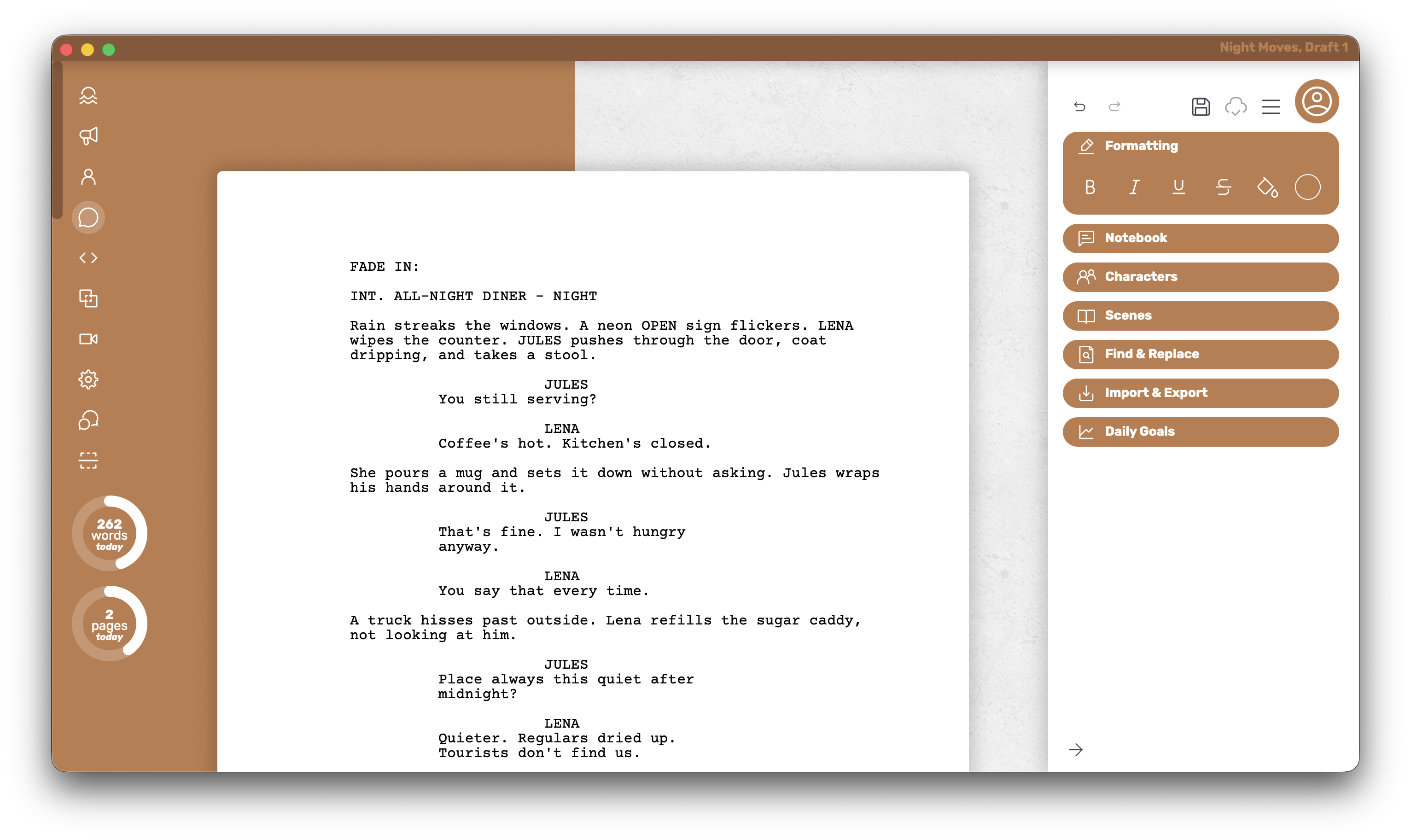
Boulevard’s free path is an offline desktop app for Mac and Windows. The PDF stays close to what is on screen and carries no watermark on Free; nearly every writing feature is available without a card.
Who it’s for
Writers who want a free desktop app with nearly every writing feature unlocked and a clean export that matches the page.
What it does well
- The PDF turns out exactly how it looks in the editor — a clean free export that matches the page.
- Stays snappy on long scripts, so Free still feels like a real writing app.
- Full customization of individual elements is available on Free.
- Intentionally lean and less feature-packed, so Free feels like drafting, not a cut-down demo.
- Theme colors and dark mode are there when Premium unlocks them — a real perk for how the page feels day to day.
Where it falls short
Five documents is a real cap, and there is no Linux build. Writers who want a Mac-only minimal free draft path, or a browser-and-phone start, will find those options further down this page.
Platform and pricing
Mac and Windows. Free covers five local documents. When that cap is no longer enough, Premium is $45 once for unlimited documents, cloud save, extra themes, and dark mode — optional, not a gate on the everyday editor.
WriterDuet
WriterDuet’s free tier is a genuine browser-and-phone start: three projects, a PDF without a watermark, and enough editor to draft before anyone pays.
Who it’s for
Writers who need to start on a phone or in a browser, or who expect co-writing soon and want free projects as a way to try the room.
What it does well
- Three free projects with a PDF that carries no watermark.
- Browser and phone drafting without putting a card down first.
- A clear path into live co-editing when the paid room begins.
Where it falls short
Free is not a free Mac/Windows desktop app — that sits behind the paid tier. Solo writers who want a local app without a monthly bill will usually prefer a desktop-first free path.
Platform and pricing
Free is browser and phone. Live collab and the desktop app arrive with paid plans from about $9.99/mo.
Highland 2
Highland 2’s free path is Mac-only: a distraction-free desktop download historically available for basic drafting without a card. Existing licenses still run; new buyers are steered to Highland Pro.
Who it’s for
Writers who want a quiet Mac free-draft start with a minimal Apple-native writing surface.
What it does well
- Distraction-free Mac drafting for basic writing without a card.
- A plain-text bent; the workflow can migrate via Fountain when a handoff matters.
- Classic Pro unlocks historically covered fuller PDF templates and revision-mode style features.
Where it falls short
There is no Windows or Linux build. New buyers meet Highland Pro’s trial and subscription path; classic Highland 2 licenses still run for owners. Full PDF and Pro features typically need the paid unlock or Highland Pro — don’t count on a clean forever-free Highland PDF.
Platform and pricing
Mac only for Highland 2. Classic Pro Upgrade was about $49.99 one-time. Highland Pro (Mac, iPad, iPhone) is about $59.99/yr or $9.99/mo with a 30-day trial.
Arc Studio
Arc Studio’s free plan holds two scripts in a cloud product that also sells a writers’ room. Free PDFs are watermarked — fine for private drafting and the wrong export when a clean page must be sent.
Who it’s for
Writers who want a taste of Arc’s outlining and room tools before deciding on a yearly plan, and who can live with a watermarked PDF for private drafts.
What it does well
- Two free scripts in a cloud product built around outlining and room tools.
- A clear preview of the paid writers’-room experience.
Where it falls short
It falls short on a clean free PDF list. Writers who need an unstamped export without paying should use Boulevard or WriterDuet’s free tier instead.
Platform and pricing
Cloud product with free holding two watermarked scripts. Essentials is about $69/year.
Glance
Free-relevant apps only — clean PDF, desktop app, and what the free start actually is.
| What matters | Boulevard | WriterDuet | Highland 2 | Arc Studio |
|---|---|---|---|---|
| Free PDF, no watermark | ✓ | ✓ | Paid unlock / Pro | × |
| Offline desktop app free | ✓ | × | Mac only | Paid room |
| Mac free desktop app | ✓ | × | Mac free draft | App + plan |
| Windows free desktop app | ✓ | × | × | App + plan |
| Free everyday writing plan | 5 local docs | Browser / phone | Mac free draft | 2 scripts, watermark |
How to choose
- Choose Boulevard for a free Mac or Windows desktop app with a clean PDF and nearly all writing features available — five local documents, then $45 once for Premium if needed.
- Choose WriterDuet’s free tier for browser or phone drafting (and when live co-editing is likely next).
- Choose Highland 2 for a Mac-only free draft start with a minimal writing surface — knowing full PDF and Pro features typically need the paid path or Highland Pro.
- Choose Arc’s free plan only when two watermarked cloud scripts are enough to explore the room.
Fade In ($79.95, watermarked demo) and Final Draft (production file) stay off a free list on purpose — full due on Compare.