
Boulevard vs Fade In, WriterDuet, Final Draft, and more
Updated September 26, 2026
There is no single best screenwriting app. There are tools built for different jobs: solo drafting in a quiet desktop app, two people writing in the same file at once, a shared writers’ room, a one-time desktop license someone already trusts, the production file an office still asks for, or a distraction-free Mac editor with a plain-text bent. This page explains what each one is for, where it shines, and where it falls short — so a stranger can finish the article and know which download to try.
Pick the tool that matches the work
Most writers do not need every feature on the market. They need the draft to look like a screenplay while they are typing, a way to move scenes around when the structure changes, and a PDF they can send without arguing with the software first. The apps below all understand industry page format. They diverge on where the file lives, who else can touch it, how much production machinery comes with it, and how the bill works.
Start with the job. Solo desktop drafting points one way. Live co-writing, a cloud room with outlining, Linux, Mac-only minimal writing, or locked production pages each point somewhere else. The sections below take each tool on those terms.
Boulevard
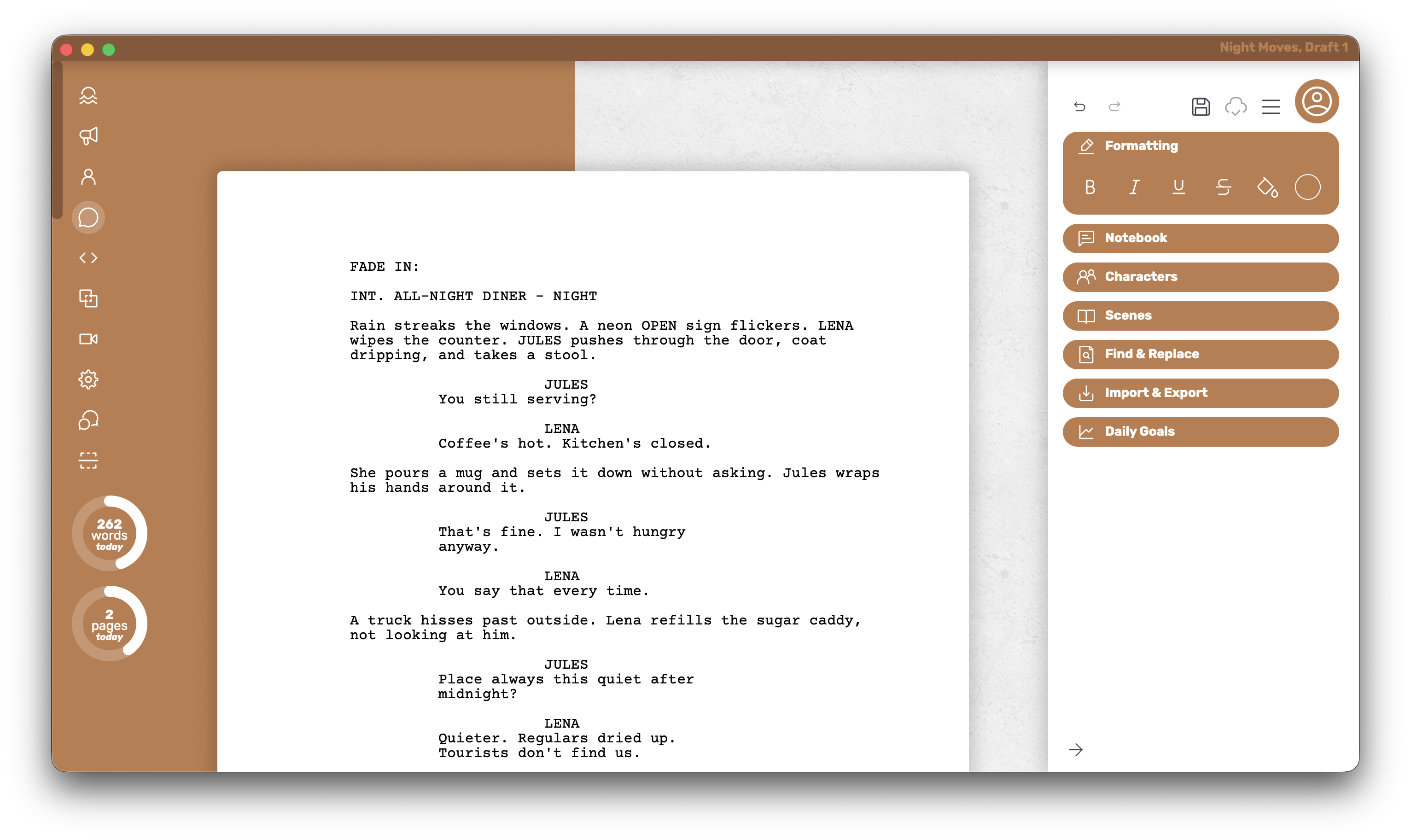
Boulevard is an offline desktop app for people who want to get pages down without wrestling the format — and without a feature checklist crowding the page. The editor stays intentionally lean so the draft stays the center of attention.
Who it’s for
The solo writer who wants a desktop app that stays light, keeps nearly every writing feature available without a paywall in the way, and exports a PDF that matches what is on screen.
What it does well
- The PDF turns out exactly how it looks in the editor — what is on the page is what leaves the machine.
- Stays snappy on long scripts, so the draft still feels light when the page count climbs.
- Full customization of individual elements is available on Free, so the script can be shaped without unlocking a paid plan first.
- The editor stays intentionally lean and less feature-packed on purpose — a quieter writing surface that keeps attention on the draft.
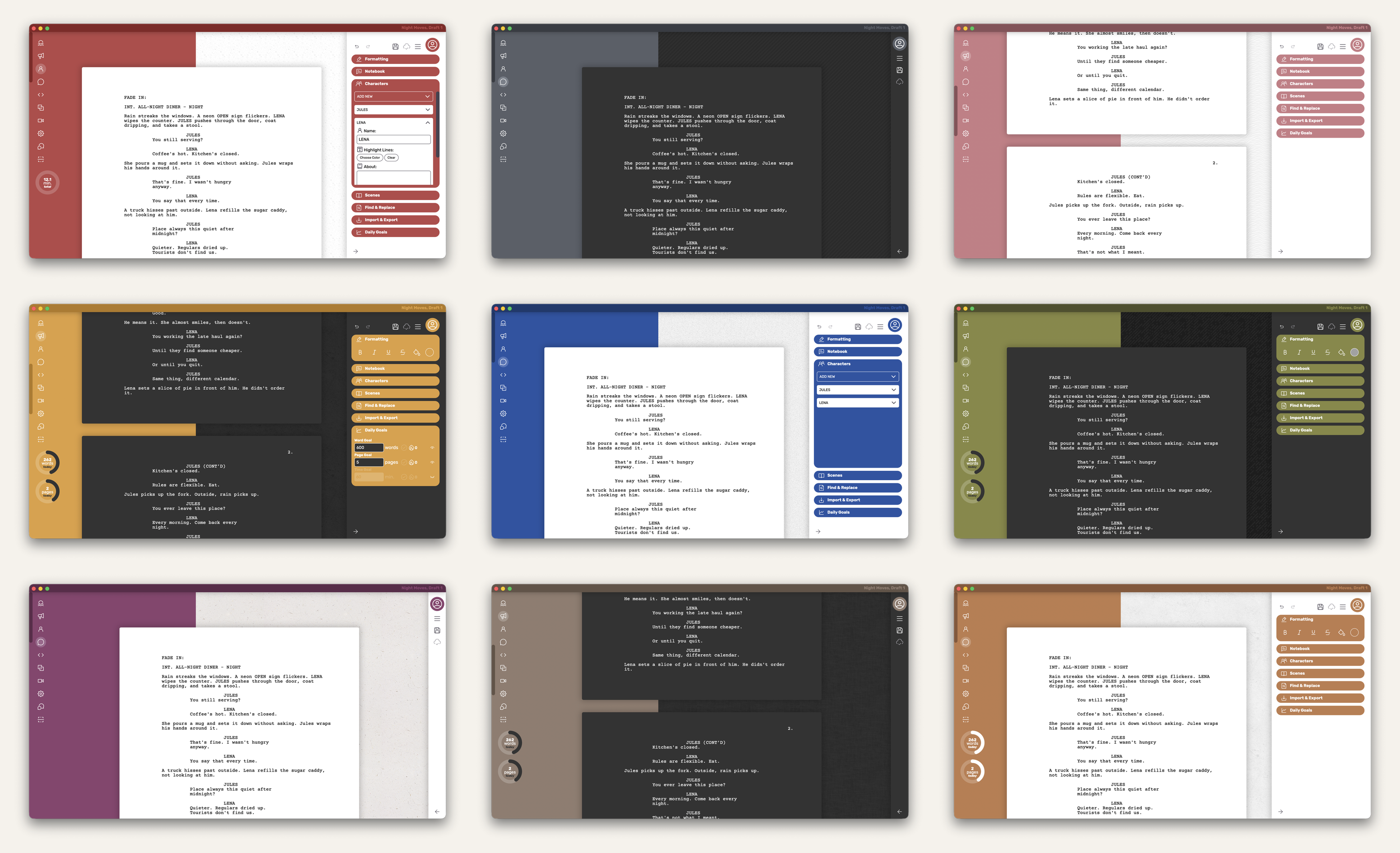
- Theme colors and dark mode change how the page feels while writing — the grid below shows the same scene across nine looks.
Where it falls short
There is no live editing from two people in the same file, no writers’-room outline shared with a staff, and no production suite of locked pages and colored revisions. The draft lives on one machine until a PDF leaves.
Platform and pricing
Mac and Windows. Free covers five local documents and exports a clean PDF with no watermark. Premium is a one-time $45 unlock for unlimited documents, cloud save, extra themes, and dark mode — not a monthly subscription.
WriterDuet
WriterDuet is built for people who need to write in the same file at the same time. Live co-editing, comments, and chat make it a natural fit for co-writers who revise together rather than emailing versions back and forth. The product thinks in shared drafts first.
Who it’s for
Partners and small teams who need one living file with two people writing at once, and who are fine paying monthly for that room.
What it does well
- Live co-editing, comments, and chat keep co-writers in the same scene.
- One paid seat can keep the shared file going for the room.
- Imports and exports Final Draft (.fdx) files when mixed rooms need interchange.
- Free tier covers three projects with a PDF that carries no watermark.
Where it falls short
Someone who only ever writes alone in a desktop app and does not want a subscription hanging over a solo draft will feel the monthly bill more than the room. Free is intentionally limited to browser and phone; the full Mac or Windows desktop app arrives with paid plans.
Platform and pricing
Free starts in the browser and on the phone. The desktop app arrives with paid plans, which start around $9.99/mo (Pro and Premium tiers sit a little higher).
Arc Studio
Arc Studio is a cloud-first writers’ room with outlining and collaboration as part of the design, not an add-on. Comments, a shared outline, and clear version history suit small staffs and producers who live in notes on the same draft.
Who it’s for
Small staffs and producers who need one living draft, a shared outline everyone trusts, and room access that moves with the phone.
What it does well
- Shared outlining and comments keep the room aligned on structure.
- Version history keeps earlier drafts available as the room revises.
- Apps cover Mac, Windows, iPhone/iPad, and browser so the room can travel.
Where it falls short
A writer who wants a simple desktop app with a clean free PDF and no yearly room bill will find the wrong shape of tool here. Table Read, research tools, and similar extras are credit add-ons rather than everyday free writing features. If the only person in the file is the writer, paying for a room is usually unnecessary.
Platform and pricing
Cloud-first with Mac, Windows, iPhone/iPad, and browser clients. Essentials is about $69/year; Pro about $99/year. The free plan holds two scripts; free PDFs are watermarked.
Fade In
Fade In is a serious solo desktop app that a lot of working writers already own and trust. It is built for people who want a full-featured editor they pay for once and keep, without a collaboration product or a production office stacked on top.
Who it’s for
Experienced solo writers who want a one-time license on a machine they control — especially when Linux is part of the picture, or when a working Fade In license is already owned.
What it does well
- A full-featured solo editor without turning into a collab suite.
- Runs on Mac, Windows, and Linux from one license.
- The demo has no time limit, so the editor can be tried thoroughly before buying.
- Broader professional interchange formats than a PDF-first writing tool typically offers.
Where it falls short
Exported demo PDFs stay watermarked until purchase, so there is no clean free export for sharing. Live collab and deep production-suite machinery are not the center of the product. Writers who need a clean PDF before any purchase will look elsewhere on this page first.
Platform and pricing
Mac, Windows, and Linux. The license is one-time — $79.95. Writers who already hold a working license should keep using it.
Final Draft
Final Draft is the file many production rooms still expect. Locked pages, colored revisions, and production reports exist because sets and offices need a stable shooting script that does not reshuffle overnight. Institutional familiarity is part of the value: assistants and showrunners often open that format without a conversation.
Who it’s for
Writers and rooms where the draft is headed into production — or where the office has already standardized on that format.
What it does well
- Locked pages and colored revisions keep a shooting script stable for set.
- Production reports support the paperwork offices actually use.
- Institutional familiarity means many assistants open the file without a debate.
Where it falls short
As a casual first editor, cost and upgrade paths are real, and the production machinery is weight most solo drafts never need. Plenty of scripts are written elsewhere and only move into Final Draft when the room asks. That handoff is normal; treating Final Draft as the only place a first draft can live is usually overkill.
Platform and pricing
Desktop app on Mac and Windows. Licensing is sold as a paid one-time purchase or as a subscription depending on the storefront that year. A trial exists, but there is no everyday free desktop app with a clean PDF as the normal plan.
Highland 2
Highland 2 is a Mac-only minimal screenwriting editor built for distraction-free drafting with an Apple-native feel. Existing licenses still run for owners; new buyers are steered to Highland Pro, the live storefront path that supersedes Highland 2.
Who it’s for
Writers who want a quiet Mac writing surface and a plain-text bent, without a busy production UI in the way — and who already own a Highland license, or who are open to Highland Pro’s current purchase path.
What it does well
- Distraction-free drafting with an Apple-native feel.
- A plain-text workflow that can migrate via Fountain when a handoff matters.
- Classic free Mac drafting for basic writing; Pro unlocks historically covered fuller PDF templates and revision-mode style features.
Where it falls short
There is no Windows or Linux build. It is not a live collab room or a production suite. Free Mac drafting exists; the full PDF and Pro feature story typically needs the paid unlock or the Highland Pro subscription. Someone who needs a clean free PDF on Windows, or two people writing in the same file at once, will look elsewhere on this page.
Platform and pricing
Mac only for Highland 2. Classic Pro Upgrade was historically about $49.99 one-time. Highland Pro — Mac, iPad, and iPhone — is about $59.99/yr or $9.99/mo with a 30-day trial.
Glance
A quick reference after the prose — free PDF, desktop app, and how payment usually works. Details and tradeoffs live in the sections above.
| What matters | Boulevard | Fade In | WriterDuet | Final Draft | Arc Studio | Highland 2 |
|---|---|---|---|---|---|---|
| Free PDF, no watermark | ✓ | × | ✓ | × | × | Paid unlock / Pro |
| Offline desktop app (Mac + Windows) | ✓ | ✓ | Paid tier | ✓ | ✓ | Mac only |
| One-time purchase path | ✓ | ✓ | × | Varies | × | Was ~$50; Pro now sub |
| Live two-person collab | × | Limited | ✓ | Limited | ✓ | × |
| Free everyday writing plan | ✓ | Watermarked demo | Browser / phone | × | 2 scripts, watermark | Mac free draft |
How to choose
- Choose Boulevard if the job is solo drafting in a desktop app on Mac or Windows, with the on-screen page matching the PDF, a clean free PDF, and a one-time Premium path later if five local documents are not enough.
- Choose WriterDuet if two people need to write in the same file at once, and a monthly bill for that room is acceptable.
- Choose Arc Studio if a small staff needs a cloud outline, comments, and a yearly writers’ room.
- Choose Fade In if Linux or an already-owned one-time desktop license is the constraint.
- Choose Final Draft when the production office wants locked pages and the institutional file.
- Choose Highland 2 for distraction-free Mac drafting with a plain-text bent — knowing new buyers are steered to Highland Pro, and that Windows is not on the table.
Celtx belongs in the conversation when breakdowns and schedules start; it is a different job from drafting the pages. Deep one-to-one write-ups live on the related links below.