
Boulevard vs Arc Studio
Updated September 26, 2026
Boulevard is a desktop app for one writer getting pages down. Arc Studio is a cloud writers’ room with outlining, comments, and version history that keeps earlier drafts available as the room revises. Same screenplay format; different answers to who else is in the file and where it is stored.
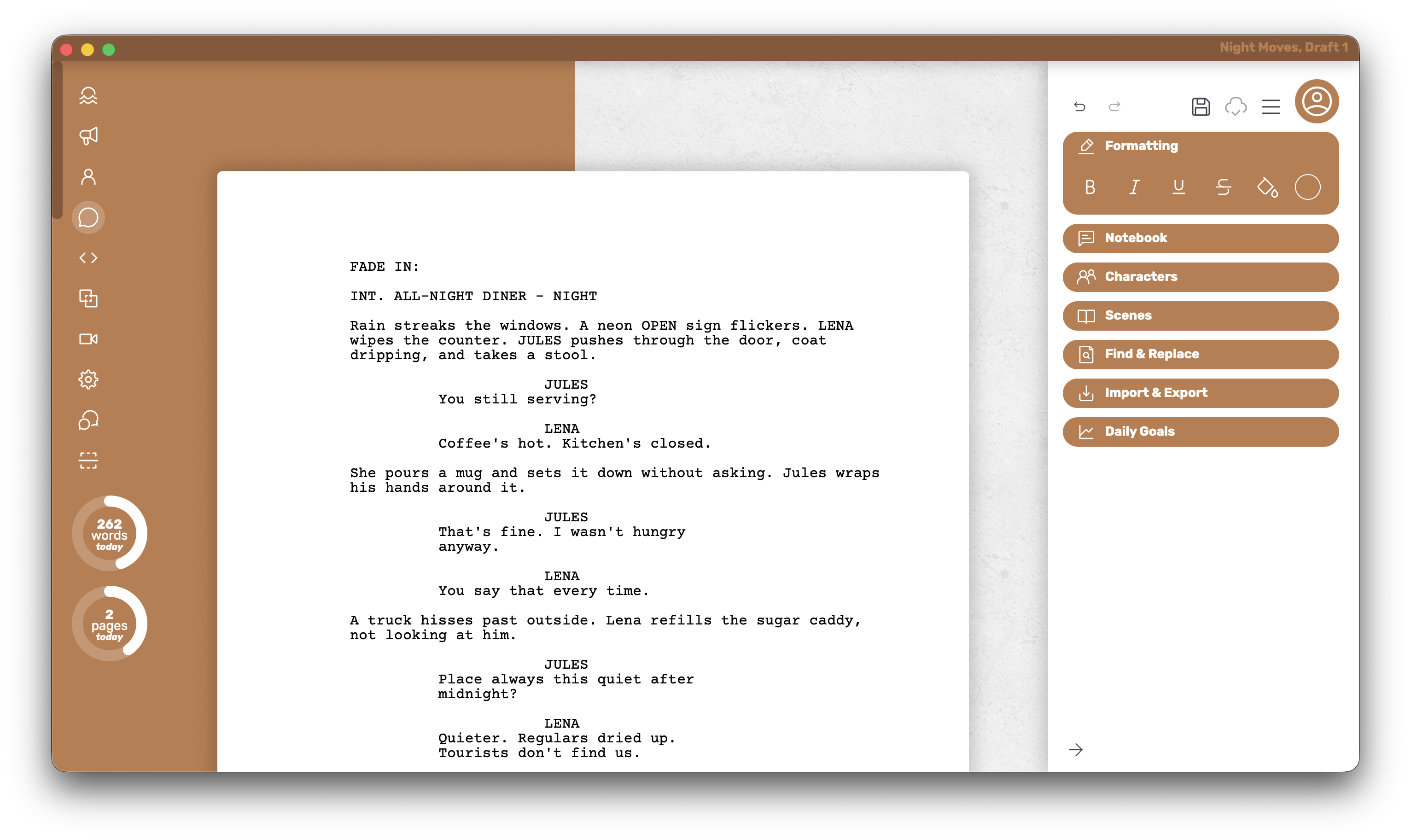
A quiet desktop app, or a shared room
Some drafts only ever need one person and a machine that works without the internet. Others need producers and co-writers living in the same outline with comments that stick. Arc Studio is built for the second shape. Boulevard is built for the first.
Boulevard
Boulevard keeps the writing experience simple so pages can move. The draft stays on the machine; the editing view stays close to the finished PDF; the editor stays out of the way of the story.
Who it’s for
The solo writer who wants a desktop app, nearly all writing features free, and a PDF that leaves without a watermark.
What it does well
- The PDF turns out exactly how it looks in the editor — the on-screen page is a true preview of the export.
- Stays snappy on long scripts, even as scenes keep stacking up.
- Full customization of individual elements is available on Free from the start.
- Intentionally more minimal and less feature-packed, so drafting stays the center of the day.
- Theme colors and dark mode set a writing mood without cluttering the page.
Where it falls short
There is no shared outline for a staff, no phone app for drafting on the train, and no yearly room product. Version history is the PDFs and files the writer keeps. That is enough for solo work and the wrong shape for a producers’ comment thread.
Platform and pricing
Mac and Windows. Free includes five local documents. Premium is $45 once for unlimited documents, cloud save, extra themes, and dark mode.
Arc Studio
Arc Studio treats the draft as a shared cloud place. Comments, a living outline, and clear version history help small rooms and producers keep track of revisions.
Who it’s for
Small staffs and producers who genuinely need the same draft and outline, with room access that can move to a phone.
What it does well
- Shared outlining and comments keep the room aligned.
- Version history keeps earlier drafts available as the room revises.
- Mac, Windows, iPhone/iPad, and browser clients keep the room reachable away from a laptop.
Where it falls short
Someone who only needs a light desktop app and a clean free PDF will find a yearly room bill hard to justify when only one person opens the file. Table Read, character images, and research tools exist as extras rather than as everyday free writing features. Free PDFs are watermarked — useful for private drafts, a clear limit when a clean page must go out.
Platform and pricing
Cloud-first across Mac, Windows, iPhone/iPad, and browser. Essentials is about $69/year; Pro about $99/year. Free holds two scripts with watermarked PDFs.
Glance
Quick facts after the argument above.
| What matters | Boulevard | Arc Studio |
|---|---|---|
| Free PDF, no watermark | ✓ | × |
| Offline desktop app (Mac + Windows) | ✓ | Cloud + sync |
| One-time purchase path | ✓ | × |
| Writers’ room collab | × | ✓ |
| Free everyday writing plan | 5 local docs | 2 scripts, watermark |
How to choose
- Choose Arc Studio if a real writers’ room needs a shared outline, comments, phone access, or a yearly cloud home for the draft.
- Choose Boulevard if the job is solo writing with a faithful on-screen page, a clean free PDF, and a one-time $45 Premium path when five local documents are no longer enough. Skip the room bill when only one person is in the file.